
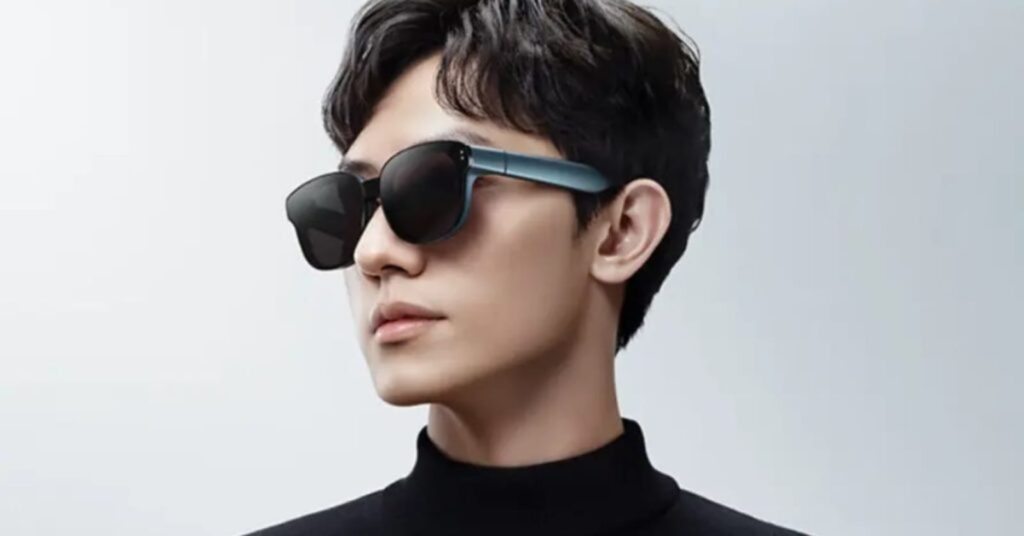
Meizu MYVU AR Glasses Review: The Practical AI Eyewear for Creators
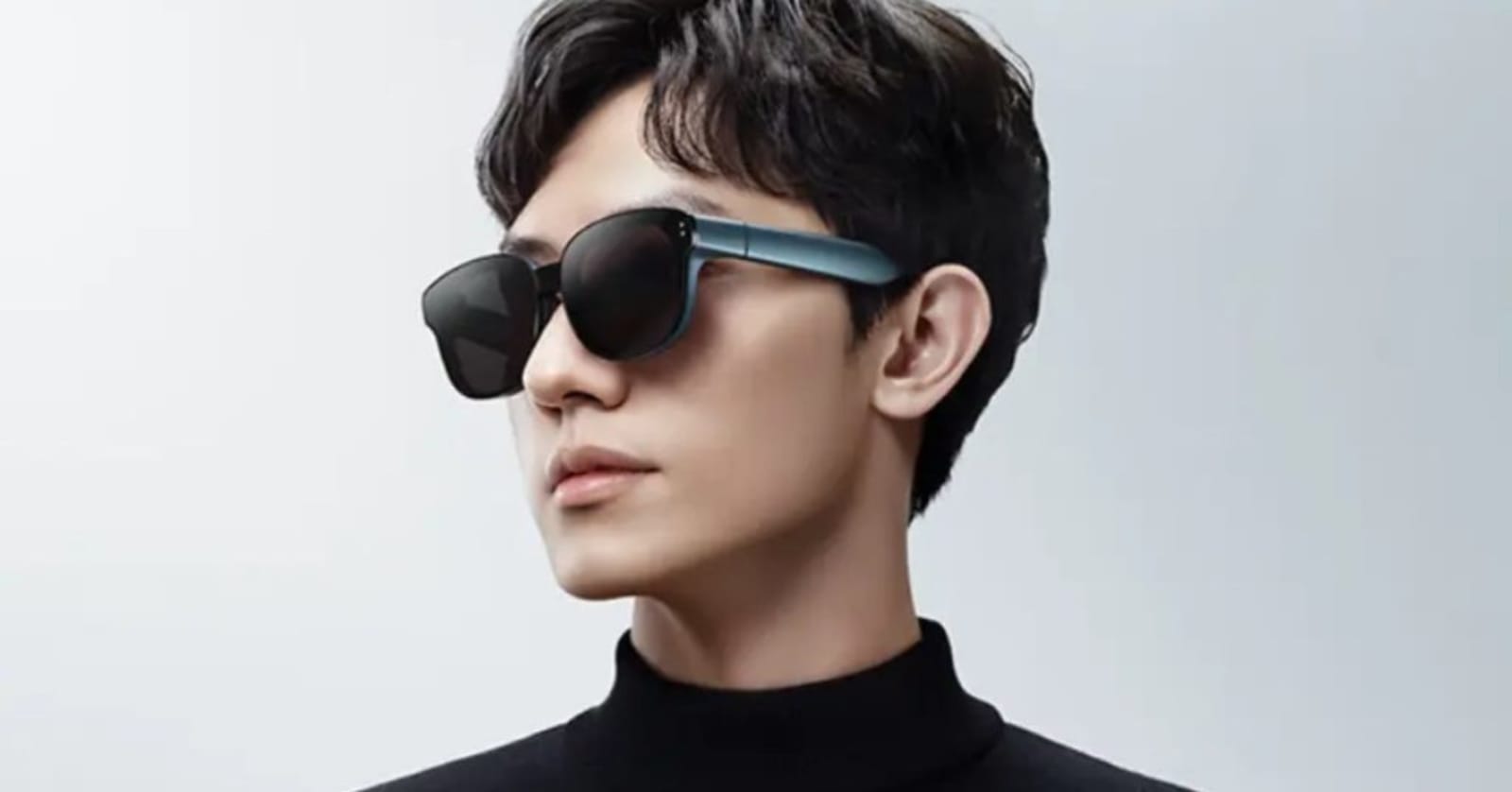
Launch-week edition. Built on detailed hands-on testing by a Bilibili creator who wore the product daily, cross-referenced against Meizu’s spec sheet. Sections marked (needs hands-on verification) will be replaced once we secure our own unit. (verified by users) = observed in real-world testing; (brand-supplied) = from Meizu marketing, not yet independently confirmed.
While most smart glasses in 2026 race to add more cameras and sensors, the Meizu MYVU does the opposite. No camera, no flash, no conspicuous hardware — just a 43-gram optical frame and a deliberately narrow AI feature set: teleprompter, real-time translation, live transcription. For creators, frequent meeting-attendees, and anyone who wants AR utility without the social baggage of a face-mounted camera, that pitch lands harder than it looks on paper. Here’s what the MYVU actually does, where it falls short, and how it stacks up against the Meta Ray-Ban and Even Realities G2.
Specs at a Glance
| Spec | Detail |
|---|---|
| Weight | 43g (verified by users) |
| Frame | Standard optical frame, no visible camera (verified by users) |
| Display | Optical waveguide, monochrome green (brand-supplied) |
| Brightness | Up to 2,000 nits (brand-supplied) |
| Prescription Support | Yes — swappable inserts via center screw (verified by users) |
| Sunglass Lens | Optional, swappable (verified by users) |
| Audio | Integrated directional speakers, low leakage (verified by users) |
| Touch Controls | Right temple touchpad — tap, double-tap, swipe, long-press (verified by users) |
| AI Platform | Flyme AI (brand-supplied) |
| Voice Assistant | Xiaoxi (小希) (verified by users) |
| Battery | 2–3h heavy use / ~1 day light / ~30 min full charge via Type-C (verified by users) |
| Price (China launch) | ¥2,499 (~$352 USD) (brand-supplied, Dec 2023 launch) |
| Bluetooth / Availability Outside China | TBD (needs hands-on verification) |
Build & Wearability — Lightweight, Prescription-Ready
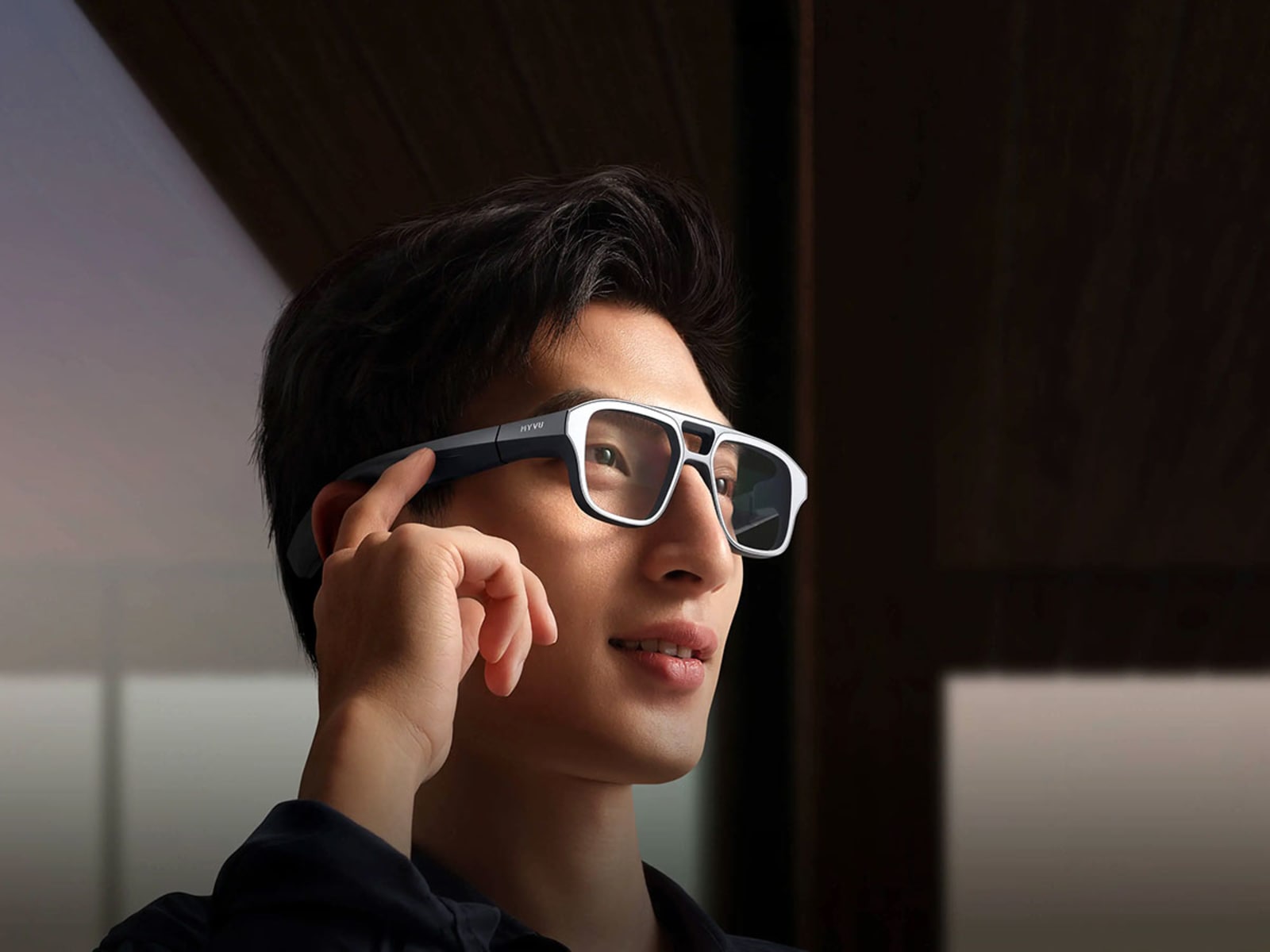
At 43g, the MYVU isn’t the lightest AR glasses on the market — the Even Realities G2 is 36g, the Ray-Ban Meta 49g. What matters is how it feels. The source reviewer compared the MYVU to a 17.3g pair of daily prescription glasses and reported that despite the MYVU being more than twice as heavy, the perceived difference during long wear was minimal, with no significant pressure points after several hours of continuous use (verified by users).
The frame’s biggest win is not looking like a tech product — without a camera bump, the lens housing is the only giveaway that this isn’t ordinary eyewear, and even that’s subtle enough that casual observers don’t clock it (verified by users). Prescription accommodation is quietly important: a single screw at the bridge releases the lens carrier so a corrective insert can be swapped in, and Meizu sells a tinted sunglass insert for outdoor use (verified by users). For the ~60% of adults who need vision correction, this turns the MYVU from “smart glasses I’d have to layer over my real ones” into “smart glasses I can actually wear.”
Display — Monochrome Green, But 2,000 Nits Means Outdoor-Ready
The MYVU uses an optical waveguide display — the same fundamental tech in the Even Realities G2. Lenses look like regular glass; the image overlays into your field of view rather than blocking it (verified by users). The catch: monochrome green only (brand-supplied). If you want full-color UI, app icons, or photos, the MYVU isn’t the device. The design choice trades visual richness for lower power draw and higher peak brightness — Meizu rates the display at up to 2,000 nits (brand-supplied).
The brightness figure is the more interesting half. In the source video, HUD content remained legible under direct sunlight (verified by users). For navigation, teleprompter use, or any outdoor task, that’s a substantial practical advantage over displays that wash out in daylight. The reviewer also noted that in-person display quality is notably better than what cameras capture through the lens — a common quirk of waveguide displays, since cameras struggle with the precise focal depth of the overlay (verified by users).
The AI Triad — Where MYVU Differentiates
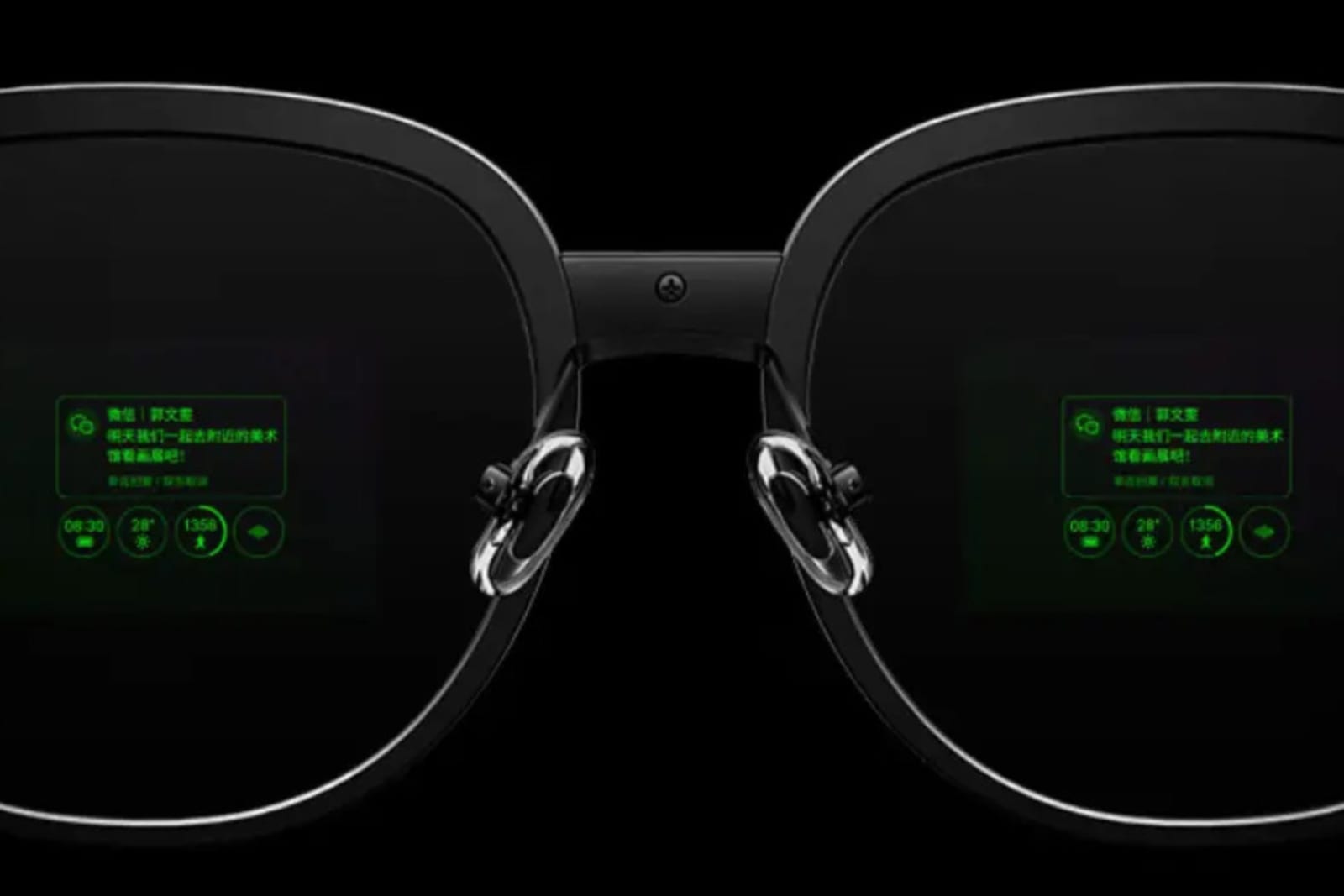
If the hardware story is “lightweight optical frame with a green HUD,” the software story is where the MYVU stakes its claim. Meizu’s Flyme AI powers three flagship features plus a voice assistant.
1. Teleprompter — The Standout Feature
For content creators, this is the single most useful feature on the device. You paste your script into the companion app; it streams to the glasses as a teleprompter overlay in your field of view, with manual or auto-scroll and adjustable speed (verified by users). The practical implication: you can record yourself talking to camera while reading live, instead of memorizing lines, taping notes off-camera, or doing post-production voiceover.
What the source reviewer specifically highlighted is that page-turning is subtle enough that it doesn’t show up in recorded footage — the talent’s eyes don’t drift visibly off-axis the way they do when reading from a phone propped next to the lens (verified by users). For YouTube, TikTok, podcast video, or any presenter-to-camera format, this is a small workflow revolution.
2. Real-Time Translation — Six Languages
Live translation supports six foreign languages with no obvious delay, and translated text auto-saves to the phone for later reference (verified by users). The MYVU’s display-based approach — text overlaid in your field of view — is more discreet than audio-out translation (as on the Meta Ray-Ban) and lets you keep your eyes on the speaker while reading along. Use cases are obvious: travel, international meetings, customer-facing roles.
3. Speech-to-Text Transcription — Chinese + Six Languages
The same translation engine repurposed for live transcription. Speak (or have someone else speak), see text in real time, save it to your phone (verified by users). For meetings, lectures, interviews, or accessibility, this turns the MYVU into a hands-free note-taking device — the reviewer specifically used it to keep up with meeting pace without splitting attention between listening and typing (verified by users).
4. Voice Assistant “Xiaoxi”
Long-press the temple or use the wake phrase to summon Xiaoxi (小希) for drafting short text, encyclopedic lookups, and travel suggestions. The reviewer rated interactions as smooth with no noticeable lag (verified by users). How well this scales to non-Chinese-speaking users is an open question (needs hands-on verification).
Audio, Touch Controls & Navigation
The MYVU integrates directional speakers near each ear, audible to the wearer without broadcasting to nearby strangers (verified by users). Sound quality is described as “acceptable” for music, calls, and notifications — for a long workday at a desk, that’s one less device to manage.
The right temple is a touchpad, with power button and Type-C charging integrated into the same area (verified by users). Single tap to confirm, double tap back, swipe to navigate, long-press to wake the voice assistant or return home — the reviewer praised the UI as “intuitive enough that the manual isn’t needed” (verified by users). Compared to the Ray-Ban Meta’s more limited touch surface and the Even Realities G2’s reliance on the optional R1 ring controller, the MYVU’s all-in-temple control is arguably the most self-contained interaction model on the market.
Navigation overlays directly into the display — turn-by-turn directions appear in your field of view instead of forcing a glance at your phone (verified by users). For driving, walking, or cycling, this is the kind of feature that justifies the device by itself.
Battery & Daily Use — Honest Endurance Tradeoffs
Here’s where the lightweight design and feature density meet physics. Continuous heavy use — display on, AI features active — runs the battery down in 2 to 3 hours; moderate use stretches to about a day (verified by users). Compared to the Even Realities G2’s claimed 2+ days, the MYVU loses on raw runtime by a wide margin.
What partly redeems this: Type-C, full charge in under 30 minutes (verified by users). That changes daily reality from “plug in overnight and hope it lasts” to “top off during lunch, get through the afternoon.” Workable for most patterns. Less so for multi-day trips without easy access to power.
How It Compares — MYVU vs Meta Ray-Ban vs Even Realities G2
| Dimension | Meizu MYVU | Meta Ray-Ban | Even Realities G2 |
|---|---|---|---|
| Weight | 43g | 49g | 36g |
| Display | Monochrome green HUD | None (audio + camera) | Monochrome green microLED HUD |
| Camera | None | Yes (12 MP) | None |
| AI Hero Feature | Teleprompter | Meta AI + capture | 33-language translation |
| Prescription Support | Yes (swappable) | Yes (via Ray-Ban) | Yes (-12.00 to +12.00) |
| Battery (Heavy) | 2–3 hours | ~3 hours | 2+ days (brand-claimed) |
| Price | ¥2,499 / ~$352 (China launch; international TBD) | From $299 | $599 |
The Meta Ray-Ban and MYVU are essentially in different categories despite sharing the “smart glasses” label — Ray-Ban is a camera-and-audio device with no visual overlay; MYVU is a display-first device with no camera. The Even Realities G2 is the closer comparison and the one most likely to come up for shoppers who’ve decided a camera is a non-starter. The G2 wins on weight, battery, and breadth of translation language support (33 vs 6). The MYVU wins on outdoor brightness, on the dedicated teleprompter (G2 doesn’t have one), and decisively on price — the China launch price of ¥2,499 (~$352) lands well under the G2’s $599, though Meizu’s pricing outside China is unconfirmed (needs hands-on verification).
For our deeper take on the G2, see our full review. For the head-to-head against camera-equipped options, see Ray-Ban Meta vs Rokid Smart Glasses.
Who Should Actually Buy the MYVU?
Strong fit:
- Video creators who record talking-head footage and want a teleprompter that doesn’t telegraph “I’m reading off-screen”
- Knowledge workers in frequent meetings who want hands-free transcription
- Travelers and language learners who need real-time translation in a discreet form factor
- Outdoor users who need a display bright enough for direct sunlight
- Glasses-wearers who want smart eyewear that integrates with their prescription
Not a fit:
- Buyers expecting full-color display — monochrome green is a hard ceiling
- Long-trip users without reliable charging access — 2–3 hours of heavy use will hurt
- Photo/video capture users — there is no camera, by design
- Buyers outside China who need confirmed availability today (needs hands-on verification)
Verdict
The Meizu MYVU is a focused, well-priced AR glasses product — launched at ¥2,499 (~$352 USD) in China — that does three specific things very well: teleprompter, translation, transcription. It’s honest about the tradeoffs everywhere else. The 43g frame doesn’t try to match Even Realities’ 36g; the 2-to-3-hour heavy-use battery doesn’t pretend to compete with the G2’s claimed multi-day endurance; the monochrome green display doesn’t oversell as full-color. For the right buyer — creators recording to camera, professionals needing live language assistance, outdoor users who need a HUD that survives daylight — it’s one of the most practically useful AR glasses to ship in 2026. We’ll update this review with our own hands-on test, confirmed international pricing, and an independent verdict score once we secure a unit.
Where to buy: (Affiliate links pending — site traffic gating in progress)
Source Acknowledgment
This review draws on extensive hands-on testing by Bilibili creator 青土豆 game, whose walkthrough covered weight, prescription support, display behavior in sunlight, touch control mapping, the full AI feature set, and battery behavior. We’ve cross-referenced his observations against Meizu’s published spec sheet, marked the provenance of each claim throughout, and will replace each (needs hands-on verification) section once a review unit becomes available. If you’re a Meizu PR contact, reach out — we’d be glad to update this piece with our own assessment.